Tap a Film and watch the photo change.
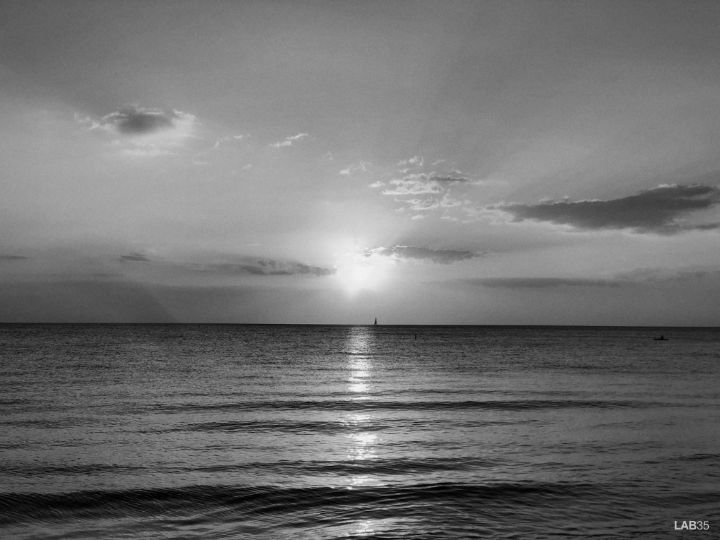
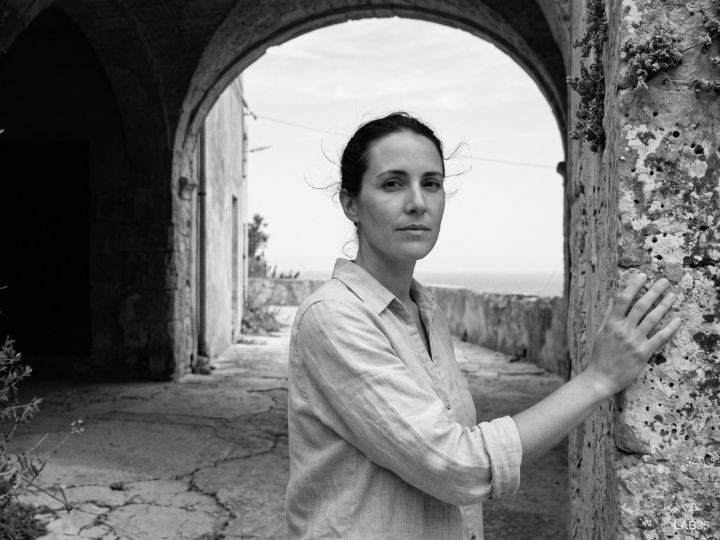

The film used to come first.
In analog photography you didn’t apply filters. You chose a film before you even took the shot, and it decided how the light would be remembered. You trusted it.
LAB35 starts right there. Color isn’t a slider: it arrives already decided, inside the Film. What stays in your hands is the developing — grain, light, framing — entirely on your own device, with no server and no generative AI.
Color is a decision, not a filter.
Principle 01 · LAB35 ManifestoThree steps. One memory.
The decision that matters happens once, at the start. The rest is developing: grain, light and framing, like in a real darkroom.
Load the Roll
Drop your photos in or pick them from your gallery. Everything stays on the device from the first byte.
Choose a Film
Each Film is a fixed color interpretation: identity is not something you tune. The permanent collection holds twelve, and stays small by choice.
Develop
Adjust the developing if you want to, then develop. The photo returns to your device, with no feed, no internal gallery, and no lock in.
We don’t apply filters. We calculate identity.
Each Film is a 3D LUT: the same color science used in cinema color grading, distilled to develop, not decorate.
0color decisions calculated individually, per FilmA regular filter
One curve, applied the same way to every color. It cannot tell a skin tone yellow from a leaf yellow: both get the same treatment.
A LAB35 Film
4,913 color decisions, one for every possible hue. The Film decides, for every color in the spectrum, exactly what it should become.
- 01Color science, not guesswork. Every Film is measurable, auditable, and validated against its source reference.
- 02Physical dehaze. The same principle used in satellite imaging to remove atmospheric haze: subtraction, never invention.
- 03No generative AI. Every transformation is deterministic math. The same photo, the same Film, always the same result.
- 04Local processing, no exceptions. All the computing happens on your device. The photo never leaves it, because it never has to.
While the whole category races to "edit with AI," LAB35 went the other way: color calculated with laboratory precision. That’s the promise, not the limitation.
Your photos don’t live here
- 01Your photos are processed on your device. We never send anything anywhere.
- 02No AI ever learns from your photos.
- 03No duplicate storage: the developed photo goes straight to your gallery. The app keeps no copy.
- 04No account, no feed, no likes. You open it, develop, and close it.
It’s that simple: LAB35 only exists while you’re developing.
Specifications
| Processing | 100% on device. No photo ever leaves your device. |
| Color architecture | 3D LUT with 4,913 points, trilinear interpolation, per Film. |
| Permanent collection | Thirteen Films. Fixed interpretations, not adjustable presets. |
| Privacy | No upload, no account required, no tracking. |
| Storage | No dedicated gallery. Photos return to your device gallery. |
| Generative AI | No step in the pipeline generates or alters content. Only color math. |
Thirteen Films. None redundant.
The collection grows slowly, by choice. A Film earns its place because no other one does what it does. Tap a Film and watch the same memory change.
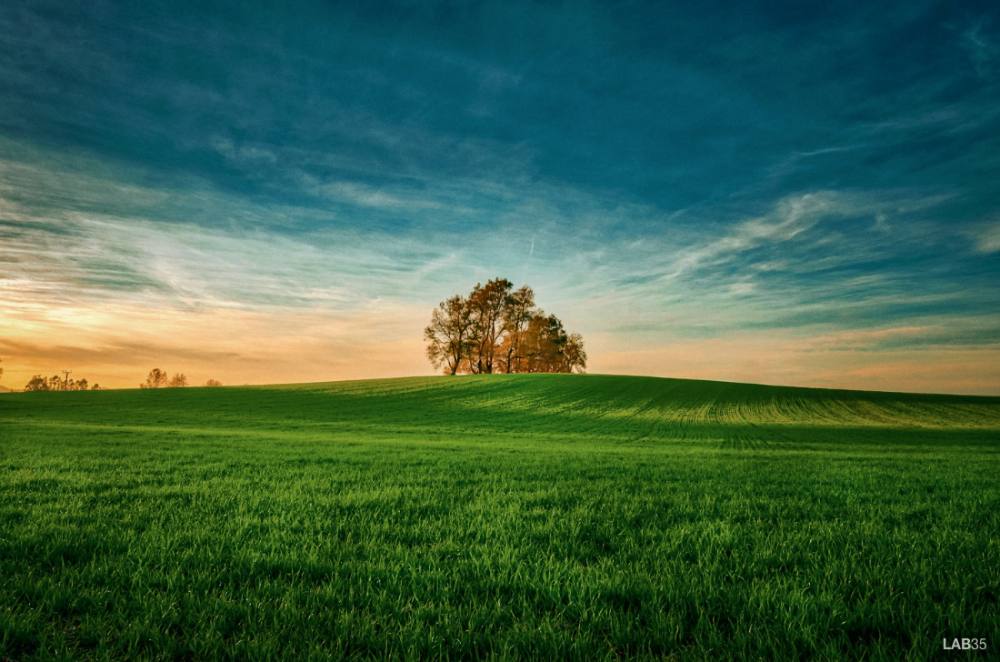
Negative
Atmospheric coolness, no haze.
Questions about LAB35
What is LAB35?
LAB35 is a digital darkroom that runs in the browser and installs as an app. You choose one of thirteen Films — each a 3D LUT with 4,913 color points — and develop your photo on your own device, with controls for grain, light and framing. No account, no upload, no generative AI.
Does LAB35 have adjustment controls?
Yes, but after the main decision. Color arrives fixed inside the Film and is not something you tune; what you adjust is the developing — intensity, exposure, shadows, highlights, color, temperature, fade, grain, vignette and framing. There is undo, redo, and a reset.
Does LAB35 use artificial intelligence?
Not to generate or alter the photo’s content. Color transformations are deterministic: the same photo with the same Film always produces the same result. It is classic color science, not generative AI.
Are my photos uploaded to a server?
No. All processing happens on your device. No image is ever uploaded, there is no internal gallery, and the developed photo goes straight back to your device’s gallery.
What is the difference between a LAB35 Film and a regular filter?
A regular filter applies a single curve to every color. Each LAB35 Film is a 3D LUT with 4,913 color decisions, one for every possible hue: the same technology used in cinema color grading.
How many Films does LAB35 have?
The permanent collection has thirteen Films, in this order: Teal, Orange, Drift, Studio, Copper, Chrome, Ember, Flash, Cinematic, Negative, Print, Press, and Silver.
How do I install LAB35?
LAB35 installs straight from your browser (PWA), no App Store or Play Store required. On iPhone, use Share and Add to Home Screen; on Android and desktop, the browser itself offers to install it.
Does LAB35 add film grain?
Yes, and with structure. LAB35 grain has two layers: a coarse field that gives the particle body, and fine per-pixel noise that breaks the regularity — because real silver forms clumps, not uniform noise. Every Film carries its own amount, and a control lets you adjust it.
Does LAB35 simulate halation?
Yes, on the Films where it belongs. Halation is the red glow wrapping a bright light, and LAB35 reproduces it with a per-Film threshold: Cinematic and Drift carry it, each with its own threshold. It is not applied where it would make no sense.
How do you make a digital photo look like film?
Color matters most, and one curve is never enough. Film decides color by color: how a skin tone bends, how a green turns, how a shadow leans blue. That is why each LAB35 Film is a 3D LUT with 4,913 points, plus grain and highlight rolloff.
Is LAB35 free?
Yes. The permanent collection of thirteen Films is free and requires no account, no signup and no card. There is no paid tier hidden behind the Films, and no watermark on the developed photo.
How is LAB35 different from VSCO or preset packs?
Preset packs give you a starting point to adjust; LAB35 gives you a finished interpretation. There is no library to manage, no account to create and no feed to feed — and all processing happens on your device, without the image ever passing through a server.
Less choice. More meaning.
LAB35 runs as an app on your home screen. No App Store, no Play Store, no wait.
- Open the darkroom with Start developing, just below.
- Once inside, tap Share in Safari’s bottom bar.
- Scroll down and tap Add to Home Screen.
- Tap Add. LAB35 now opens like any other app.
- Open the darkroom with Start developing, just below.
- Once inside, tap Install in the footer. Chrome prompts right away.
- If nothing appears, open the menu (⋮) and tap Install app.
- Confirm. LAB35 now opens like any other app.
- Open the darkroom with Start developing, just below.
- Once inside, click Install in the footer.
- Or use the install icon in the address bar, on the right.
- In Safari on Mac: menu File → Add to Dock.